
Changelog
Process Analyzer
Version 2.5.7
- Dev changes on library.
Version 2.5.6
- We have fixed a problem with the generation of the session ID, which led to 'No free licence' error messages being displayed.
Version 2.5.5
- The Format Pane now consist of Composite Slices (with each property having individual cards) according to the new Power BI Formatting Modal.
Version 2.5.4
- The user name is now a mandatory field to avoid errors, as the licence server always requires a user name.
- A table prefix can now be defined for the filter tables if this is required by certain naming conventions.
- The nodes can be moved to improve clarity. However, this is not saved.
Version 2.5.3
- We have summarised the possible theme definitions in an overview file. The file can be found in the
theme-definitionfolder in thevisualsfolder.
Version 2.5.2
- You can add icons on activities.
Version 2.5.1
- Bugfixing
Version 2.5.0
- Update to the latest Power BI API version 5.
Version 2.4.5
- Bug fixes regarding the display of activities with numbers in the name when line break is enabled.
Version 2.4.4
- It is possible to work with an empty target process.
Version 2.4.3
- The licence key is being cut off in the settings.
- Bug fixes
Version 2.4.2
- Bugfixing
Version 2.4.1
- Target processes can now be used without 'Start' and 'End' nodes.
- Bugfixing.
Version 2.4.0
- UI changes.
- You can show multiple edge values at the same time.
- Loops can be shown in a compact way.
- You can remove the 'Start' and 'End' nodes.
- Bugfixing.
Version 2.3.0
- You are now able to show a progress bar on the activities: Read more
- We added the option to use the same size for all activities.
- We added the option to hide the start and end icons on activities.
- We have added translations for Polish and French.
- Bugfixing
Version 2.2.0
- You are now able to work with activity groups and multiple event logs in a single Power BI report (Read more).
Version 2.1.3
- The license can be added using the settings dialog or the theme.json file.
Version 2.1.2
- New icon
- Bugfixing
Version 2.1.1
- Bugfixing
Version 2.1.0
- You are now able to add swim lanes to the process analyzer (Read more).
- You can add multiple activity values to nodes.
- Add line breaks to activity names.
- Add additional activity detail texts, including links, which will be shown in the filter pop up.
- Bugfixing
Version 2.0.2
- Bugfixing
Version 2.0.1
- We added russian translations.
- Bugfixing.
Version 2.0.0
- We completely renewed the whole graph which will result in much better performance.
- You are able to show a navigator in the bottom right corner for a better overview in complex graphs.
Version 1.5.1
- Bugfixing.
- Show activity legend and target process at the same time.
- Specify times/duration with a fixed value: Formatting for duration.
Version 1.5.0
- We now support highlighting based on speficic dimensions: Activity legend values.
- You can define color scales to highlight nodes according to their activity value.
- Report page tooltip.
- Drillthrough on activities read more.
- The slider value can be saved on bookmarks.
- Bugfixing.
Version 1.4.1
- The coloring of the target process can be controlled more precisely.
- Bugfixing
Version 1.4.0
- The slider now shows the amount of newly added variants and is draggable.
- Bugfixing
Version 1.3.6
- We have added the ability to highlight activities within the graph if you filter based on activities. You just need to set the filter type to highlighting.
- Bugfixing
Version 1.3.5
- The activity value can now be shown on the node on not only the node tooltip.
- We have added the ability to use the format options specified in Power BI for each Activity/Transition value.
- After filtering the data, the last selected variant slider index will be restored. They don´t reset to the default values.
- Bugfixing
Version 1.3.4
- We have added translations for Italian and Spanish
- Bugfixing
Version 1.3.3
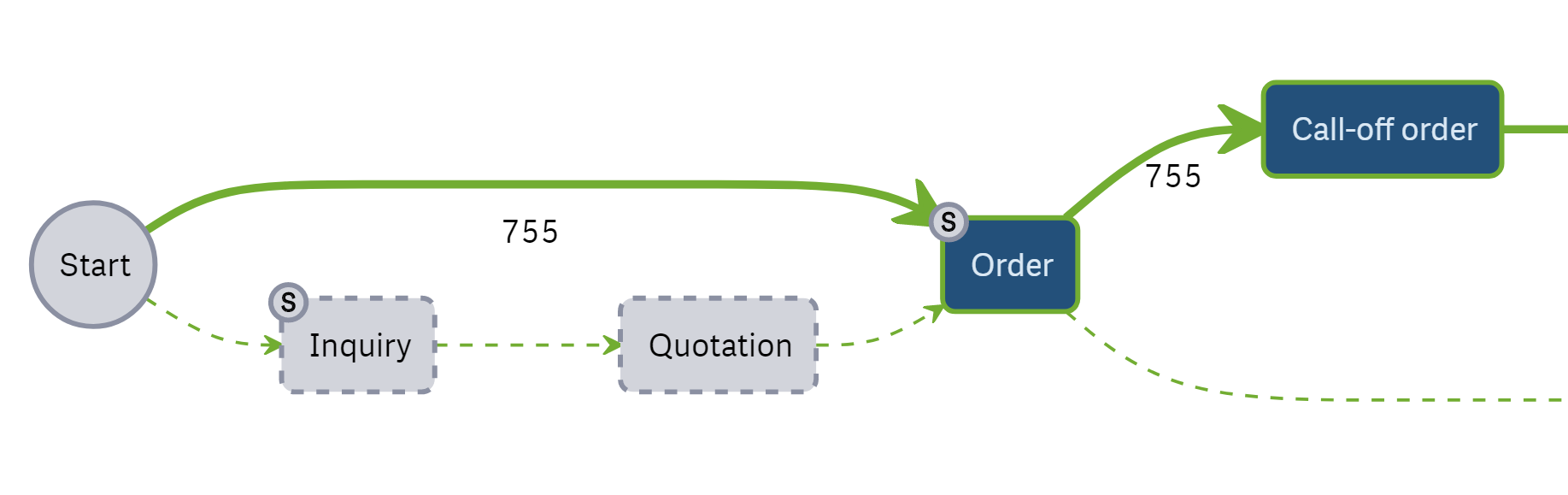
- In this version of the Process Analyzer we changed the way the target process is displayed. It is now easier to see if your process deviates from your target process. For more on this read the settings chapter Show Unfiltered Target Process.
- We changed the way we display start and end nodes in order to get a better overview in large graphs. We now add circles with a
Sfor Start activities, circles with anEfor end activities and cirlces withS/Eif both is applies.
- In some cases the browser failed to load extremly large graphs. We added an error message and prevented extrem large graphs from being drawn.
- Bugfixing
Version 1.3.2
- We finally added Bookmarks support. Read more on how to enable it in the chapter Setup.
Version 1.3.1
- You can now use a custom color scheme. Your selected Power BI color scheme will be used as the default color scheme of the visual.
- We have fixed a bug that caused filters to be set and shown twice.
- Other Bugfixing
Version 1.2.1
- We added the ability to change the size of the menus in the settings dialog.
- Bugfixing
Version 1.2.0
- We updated the Power Bi Visual API to a new major release.
- We changed the size of the menus.
- Bugfixing
Version 1.1.5
- We changed how the variantslider works. You can now use it from both sides, showing either the most or lest frequent variants.
- We fixed bugs regarding the zoom and hover inside the graph.
Version 1.1.4
- You can now change the view mode depending on the transition values you provide. Read more in the chapter Change Display Mode
- Bugfixing
Version 1.1.3
- We changed the format of the duration fields.
- Small UI changes.
- Bugfixing
Variants / Case Analyzer
Version 3.0.2
- The graph is only redrawn if data fields are changed or settings that change the number of nodes in the graph (Show start and end and node or row limit). Otherwise, the current graph is adjusted and remains expanded and scrolled as before.
- The Format Pane now consist of Composite Slices (with each property having individual cards) according to the new Power BI Formatting Modal.
- The user name is now a mandatory field to avoid errors, as the licence server always requires a user name.
- The white nodes that indicated which drill down rows are under the corresponding layer are now hidden/shown when the row is expanded/collapsed.
Version 3.0.1
- Bugfixing regarding the color of nodes after clicking the 'show more' button.
- Bugfixing regarding null values in the hierarchy view.
Version 3.0.0
- we have added the option of using multiple levels, e.g. to differentiate between variants and cases. Read more in the chapter Multiple levels.
- we have added a hierarchy view that allows you to group the variants / cases e.g. by orders and order items. Read more in the chapter Hierarchy view.
- we have added a swim lane view that allows you to group the variants/cases by departments, for example. Read more in the chapter Swim Lanes.
Version 2.2.2
- We have summarised the possible theme definitions in an overview file. The file can be found in the
theme-definitionfolder in thevisualsfolder.
Version 2.2.1
- Bugfixing
Version 2.2.0
- Update to the latest Power BI API version 5.
- Fixed a bug that caused the legend not to be displayed for numeric legend values.
Version 2.1.3
- Fixed a bug that caused the first lines to disappear when resizing the visual.
Version 2.1.2
- Bug fixes for certain characters in the activity name.
- The activities can now also be displayed in one color.
Version 2.1.1
- Bugfixing
Version 2.1.0
- The activity values can now be displayed directly on the node.
- The licence key is being cut off in the settings.
- Bugfixing
Version 2.0.0
- We completly renewed the UI.
- You are able to add highlights for each activity.
- You are able to add identifier and activity values.
- We added an incremental load.
Version 1.2.3
- We have added translations for Polish and French
- Bugfixing
Version 1.2.2
- The license can be added using the settings dialog or the theme.json file.
Version 1.2.1
- New icon
- Bugfixing
Version 1.2.0
- We added the option to highlight the target process within the Variants / Case Analyzer (Read More).
Version 1.1.9
- Bugfixing
Version 1.1.8
- We added russian translations.
Version 1.1.7
- Bugfixing
Version 1.1.6
- We have added the ability to use the format options specified in Power BI for the additional measures shown in the popups.
- Bugfixing
Version 1.1.5
- We have added the ability to use the format options specified in Power BI for the additional measures shown in the popups.
- Bugfixing
Version 1.1.4
- We have added translations for Italian and Spanish
- Context Menu added
- Bugfixing
Version 1.1.3
- We changed the error message regarding too many shown process variants to an info. You now will see the top N variants as set in the settings menu and a hint showing that not all variants are drawn.
- Bugfixing
Version 1.1.2
- You can now use a custom color scheme. Your selected Power BI color scheme will be used as the default color scheme of the visual. You can also select a specific color for each activity.
- We added a error message when too many variants would be drawn. The limit can be changed in the settings menu.
- Fixed typos in texts.
Version 1.1.1
- We fixed the bookmarks support.
Events Filter
Version 2.2.6
- The Format Pane now consist of Composite Slices (with each property having individual cards) according to the new Power BI Formatting Modal.
- Navigator has now better dimensions and adjust according to the main graph.
- Fixed the Fullscreen Mode.
Version 2.2.5
- Bug fixes regarding Path IDs that are not numeric.
- Error message if UserName is not in the visual.
Version 2.2.4
- Bugfixing
Version 2.2.3
- Bugfixing
Version 2.2.2
- We have summarised the possible theme definitions in an overview file. The file can be found in the
theme-definitionfolder in thevisualsfolder.
Version 2.2.1
- Bugfixing
Version 2.2.0
- Update to the latest Power BI API version 5.
- The last set path is saved and restored the next time the visual is opened.
- Bug fixing regarding the display of activities with brackets in the name when line break is enabled.
Version 2.1.1
- Bug fixes regarding named users.
- Bug fixes regarding the display of activities with numbers in the name when line break is enabled.
Version 2.1.0
- We have added settings for the Event Filter. Read more in the chapter Settings.
Version 2.0.0
- We have completely renewed the user interface and it is now possible to create filters based on BPMN models.
Version 1.2.2
- The licence key is being cut off in the settings.
Version 1.2.1
- Bugfixing
Version 1.2.0
- UI changes.
Version 1.1.9
- We have added translations for Polish and French
Version 1.1.8
- The license can be added using the settings dialog or the theme.json file.
Version 1.1.7
- Bugfixing
Version 1.1.6
- New icon
- Bugfixing
Version 1.1.5
- Bugfixing
Version 1.1.4
- We added russian translations.
Version 1.1.3
- Bugfixing
Version 1.1.2
- You are now able to see the selected filter values after creating the filter.
- Bugfixing
Version 1.1.1
- We have added translations for Italian and Spanish
- Bugfixing
Version 1.1.0
- You can now use a custom color scheme. Your selected Power BI color scheme will be used as the default color scheme of the visual.
- Bugfixing
Version 1.0.2
- Bugfixing
- Fixed typos in texts.
Version 1.0.1
- Bugfixing
Histogram Brush
Version 1.1.3
- The Format Pane now consist of Composite Slices (with each property having individual cards) according to the new Power BI Formatting Modal.
- The user name is now a mandatory field to avoid errors, as the licence server always requires a user name.
Version 1.1.2
- We have summarised the possible theme definitions in an overview file. The file can be found in the
theme-definitionfolder in thevisualsfolder.
Version 1.1.1
- Bugfixing
Version 1.1.0
- Update to the latest Power BI API version 5.
Version 1.0.8
- The licence key is being cut off in the settings.
Version 1.0.7
- We have added translations for Polish and French
Version 1.0.6
- The license can be added using the settings dialog or the theme.json file.
Version 1.0.5
- Bugfixing
Version 1.0.4
- New icon
- Bugfixing
Version 1.0.3
- Bugfixing
Version 1.0.2
- We added russian translations.
Version 1.0.1
1.Bugfixing
Lead Time Analyzer
Version 1.2.5
- The Format Pane now consist of Composite Slices (with each property having individual cards) according to the new Power BI Formatting Modal.
- Bugfix, the user name is being sent to the license server again.
Version 1.2.4
- Bug fixes regarding Path IDs that are not numeric.
- Error message if UserName is not in the visual.
Version 1.2.3
- We have summarised the possible theme definitions in an overview file. The file can be found in the
theme-definitionfolder in thevisualsfolder.
Version 1.2.2
- The number of groups in the bar chart can be set.
- Bugfixing.
Version 1.2.1
- Bugfixing
Version 1.2.0
- Update to the latest Power BI API version 5.
- The duration can be entered on a more fine-grained basis, as with the Duration Card.
Version 1.1.4
- We fixed a bug showing the 'No Free License' warning when there where still free licenses available.
Version 1.1.3
- We fixed a bug that kept showing the error message about missing dimensions after initial setup.
Version 1.1.2
- The licence key is being cut off in the settings.
Version 1.1.1
- Bugfixing
Version 1.1.0
- UI changes.
Version 1.0.6
- We have added translations for Polish and French
- Bugfixing
Version 1.0.5
- The license can be added using the settings dialog or the theme.json file.
Version 1.0.4
- New icon
- Bugfixing
Version 1.0.3
- Bugfixing
Version 1.0.2
- We added russian translations.
Version 1.0.1
1.Bugfixing
Multi Field Slicer
Version 1.2.3
- The Format Pane now consist of Composite Slices (with each property having individual cards) according to the new Power BI Formatting Modal.
- Error message if UserName is not in the visual.
Version 1.2.2
- We have summarised the possible theme definitions in an overview file. The file can be found in the
theme-definitionfolder in thevisualsfolder.
Version 1.2.1
- Bugfixing
Version 1.2.0
- Update to the latest Power BI API version 5.
Version 1.1.3
- Bugfixing
Version 1.1.2
- The licence key is being cut off in the settings.
- Bugfixing
Version 1.1.1
- Bugfixing
Version 1.1.0
- UI changes.
Root Cause Analyzer
Version 1.1.3
- The Format Pane now consist of Composite Slices (with each property having individual cards) according to the new Power BI Formatting Modal.
- Error message if UserName is not in the visual.
Version 1.1.2
- We have summarised the possible theme definitions in an overview file. The file can be found in the
theme-definitionfolder in thevisualsfolder.
Version 1.1.1
- Bugfixing
Version 1.1.0
- Update to the latest Power BI API version 5.
Version 1.0.2
- the columns
precisionandcoveragecan now be shown and hidden in the settings and in the GUI.
Version 1.0.1
- The licence key is being cut off in the settings.
Duration Card
Version 1.2.2
- The cursor will now be shown as default cursor.
- The Format Pane now consist of Composite Slices (with each property having individual cards) according to the new Power BI Formatting Modal.
Version 1.2.1
- We have summarised the possible theme definitions in an overview file. The file can be found in the
theme-definitionfolder in thevisualsfolder.
Version 1.2.0
- Update to the latest Power BI API version 5.
Version 1.1.1
- Minor bugfixing.
Version 1.1.0
- We added new formatting options for the duration label.
Version 1.0.6
- We have added translations for Polish and French
Version 1.0.5
- New icon
- Bugfixing
Version 1.0.4
- We added russian translations.
Version 1.0.3
- Blank values now show the text "(Blank)" and the data label will still be shown.
Version 1.0.2
- We have added translations for Italian and Spanish
Version 1.0.1
- Bugfixing
Event Log Transformer
Version 1.3.6
- Bug fixes for the removal of erroneous lines.
Version 1.3.5
- Bug fixes for the calculation of loops.
Version 1.3.4
- Bug fixes to filter out erroneous lines.
Version 1.3.3
- Bugfixing
Version 1.3.2
- Bugfixing
Version 1.3.1
- Bugfixes for the grouped mode when the grouped changed within the last activity.
Version 1.3.0
- You are now able to work with activity groups, read more on how to use them here.
- The transformer will filter out rows with blank primary values (case id, activity, timestamp).
- The transformer will create a list of all errors that occured while transforming the data.
Version 1.2.6
- Fixed a bug leading to the transformer onyl working in administrator mode.
- The transformer will remove '"' and ''' from the beginning and end of values.
Version 1.2.5
- You can remove the current license using the
Filemenu tab if you need to change the license.
Version 1.2.4
- Bugfixing
Version 1.2.3
- Bugfixing when uploading the license file.
Version 1.2.2
- Now all values above 1 are interpreted as automated.
- Cleaned up the filter tables and don't write douplicate values anymore.
- New installer.
- Bugfixing.
Version 1.2.1
- We fixed a bug that in some cases caused wrong duration between activities when working with end timestamps.
Version 1.2.0
- From now on the end timestamp will have the start timestamp as a default value if it is missing in one or more rows.
- We added required fields for the new lead time analyzer visual.
- The license file isn't embedded into the source code anymore and needs to uploaded within the app. This makes it easier for you to change the license, if your old one expired.
- Bugfixing
Version 1.1.4
- We fixed a bug that caused the application to crash when loading too many columns.
Version 1.1.3
- We added a few new fields and the possibility to add an automation flag.
- Bugfixing
Version 1.1.2
- You can now calculate the duration of activities and use them as activity values within the Process Analyzer.
- Bugfixing
Version 1.1.1
- Bugfixing
Version 1.1.0
- We completely renewed the UI.
- You can now change the output locale of the files in the settings dialog.
- The mapping hints have been improved.
- The installer has been improved.
SSIS
Version 1.3.4
- Bugfixing
Version 1.3.3
- Bugfixing
- The Connection strings will be trimmed to prevent problem with whitepaces at the beginning and end.
Version 1.3.2
- File logging has been replaced by SQL table logging to allow easier logging in Azure Data Factory.
- There are now two connection managers, one for the input table and one for the output tables. This allows working with two different databases.
Version 1.3.1
- Bugfixes for the grouped mode when the grouped changed within the last activity.
- Bugfixes regarding case-sensitive databases.
Version 1.3.0
- You are now able to work with activity groups, read more on how to use them here.
- The SSIS package will filter out rows with blank primary values (case id, activity, timestamp).
Version 1.2.3
- The timeout parameter will be used in the 'verify input table' step.
- Small changed in the 'verify input table' step.
Version 1.2.2
- Bugfixing
Version 1.2.1
- You can define the connection timeout for the read and write operations the ssis package performes.
- Before the transformation begins the package will now check, if the input table contains all mandatory columns.
- Bugfixing.
Version 1.2.0
- Changed the default output of floating data types to fixed decimal data types.
- You can define a prefix for all output tables.
- Bugfixing.
Version 1.1.2
- Cleaned up the filter tables and don't write douplicate values anymore.
- Bugfixing.
Version 1.1.1
- We fixed a bug that in some cases caused wrong duration between activities when working with end timestamps.
Version 1.1.0
- From now on the end timestamp will have the start timestamp as a default value if it is missing in one or more rows.
- We added required fields for the new lead time analyzer visual.
- The license file isn't embedded into the source code anymore and needs to be specified while configuring the package. This makes it easier for you to change the license, if your old one expired.
- Bugfixing
Version 1.0.1
- We added a few new fields and the possibility to add an automation flag.
- Bugfixing