Process Mining
Why You Need Process Mining
Process mining is used to discover process flows from existing data and addreses the main problem of almost every company: Your expected processes do not look like your real processes.
When aksing people in their companies about their processes the answer is allways the same: They will describe the happy path, the instance of the process they want the process to look like - The perfectly linear process A - B - C - D. In reality this is not really the case and the process will differ depending on many factors. Different people will perform the same process differently, reworks need to be done in case of errors in the first iteration. Another famous example is a exception for a specific customer in which the process has more/less process steps. These factors will result in a discrepancy between the expected and the real process.
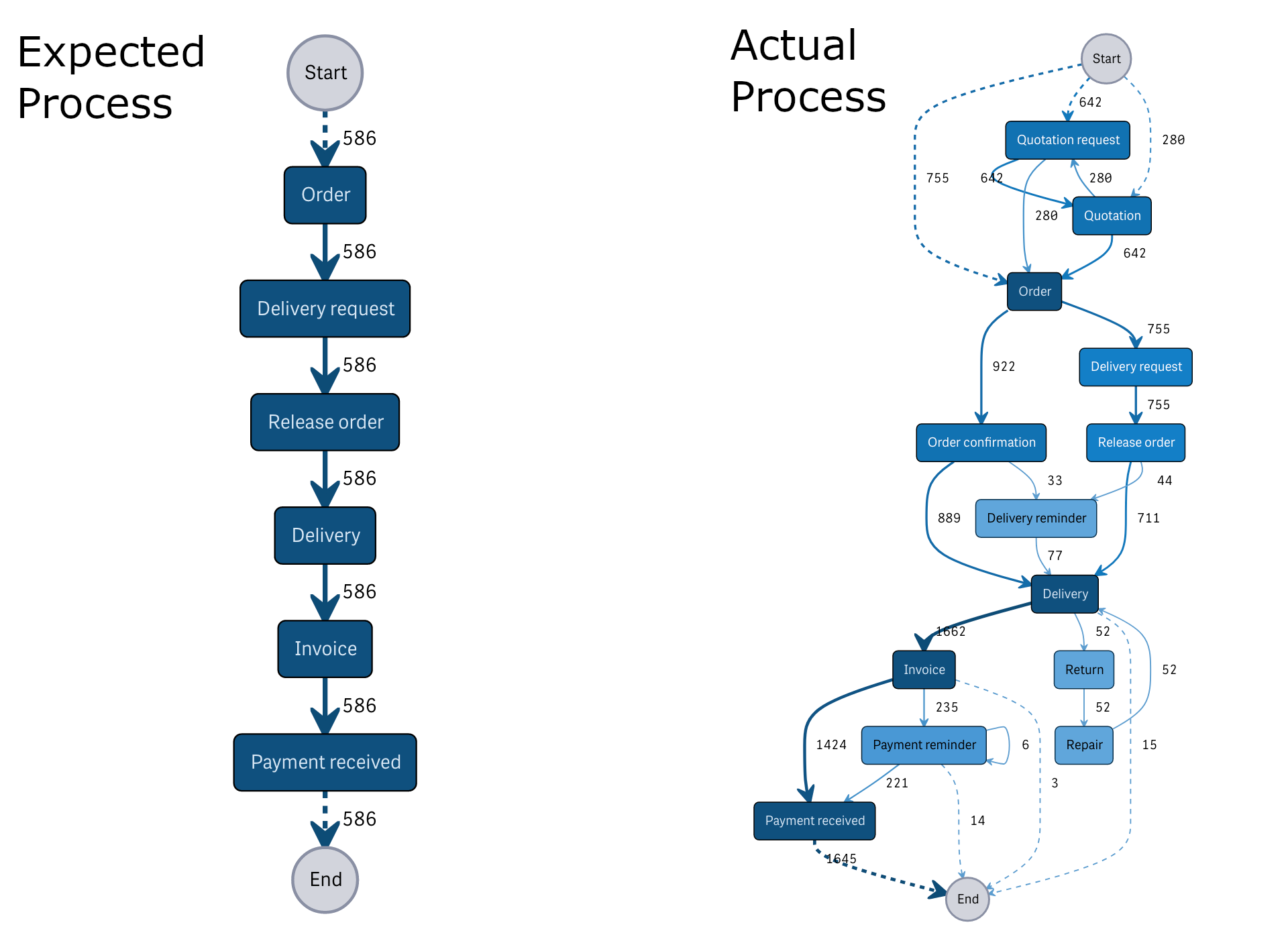
But most people will know that their real processes don't look like the expected processes, so this isn't the biggest problem. An even bigger problem is that no one has an overview about how the real processes look like.
In most cases you want your processes to be performed as documented, because this is how you think the process is performed best or you have specific compliance requirements for your process. But just because your process isn't performed as documented it doesn't mean it is bad, sometimes you will get new insights regarding your processes and implement them even tho they are not documented, over time these changes will become the new normal, documented or not.
You also won't mention every little exception of your process in your documentation because you want to show the normal process in your documentation.
The main factor is that both the documentation and the real processes must be known and used to draw conclusions from the processes and improve them. This is exactly where process mining comes in.
How Does it Work
Process mining uses event-based logs from your existing data in ERP- or other systems. Most ERP-systems allready create the needed data implicitly, if a system does not save the data implicitly you can always create triggers in your database to create them explcitly and save the data needed for process mining: the so called event log.
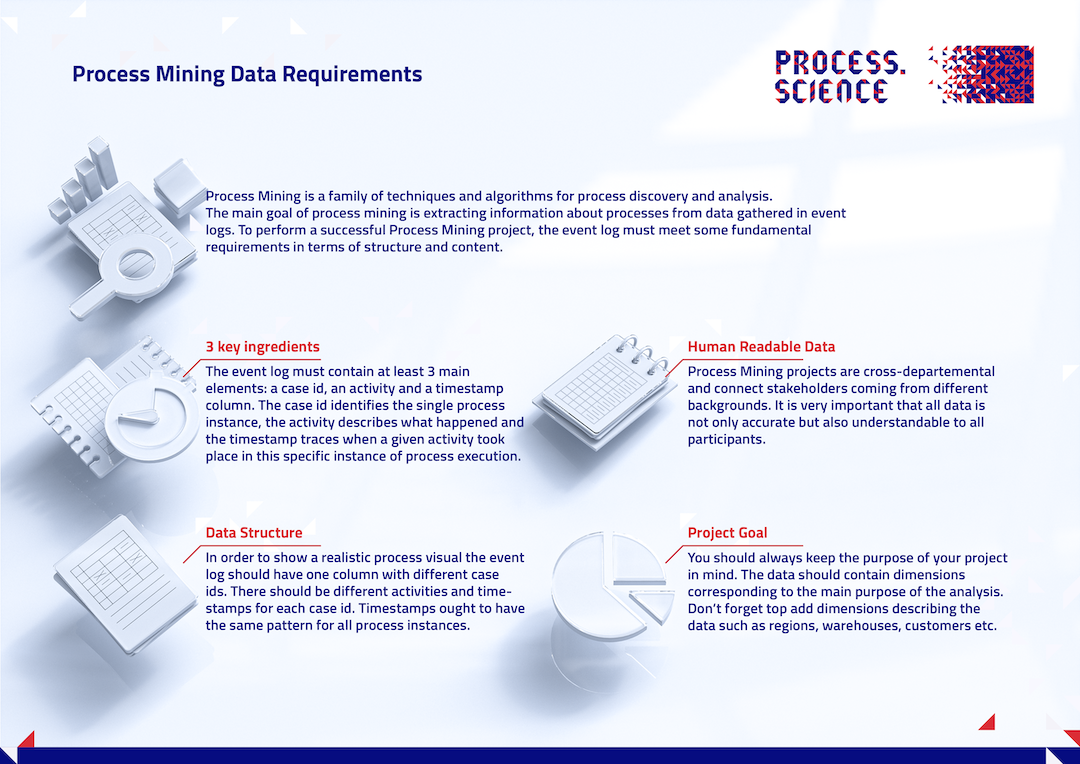
The three essential components of an event log are:
- A case identifier connecting events to a unique business case.
- An activity name that describes which work step was performed.
- A timestamp that describes when something was done.
Let`s consider a process for a professional car cleaning company and make the assumption they track the time when a process step start. Today they had three costumers which results in the following event log.
| Case Id | Activity Name | Timestamp |
|---|---|---|
| 1 | pre-wash | 2020-01-01 09:20:34 |
| 1 | main-wash | 2020-01-01 09:24:45 |
| 1 | interior vacuuming | 2020-01-01 09:34:57 |
| 1 | cleaning windows | 2020-01-01 09:58:12 |
| 2 | pre-wash | 2020-01-01 09:23:09 |
| 2 | main-wash | 2020-01-01 09:28:12 |
| 2 | interior vacuuming | 2020-01-01 09:37:47 |
| 2 | cleaning windows | 2020-01-01 09:55:32 |
| 2 | wax care | 2020-01-01 10:16:19 |
| 3 | pre-wash | 2020-01-01 09:27:24 |
| 3 | main-wash | 2020-01-01 09:32:39 |
| 3 | interior vacuuming | 2020-01-01 09:41:35 |
| 3 | cleaning windows | 2020-01-01 09:57:31 |
| 3 | interior vacuuming | 2020-01-01 11:20:55 |
| ... | ... | ... |
The event log above results in the folowing process graph:
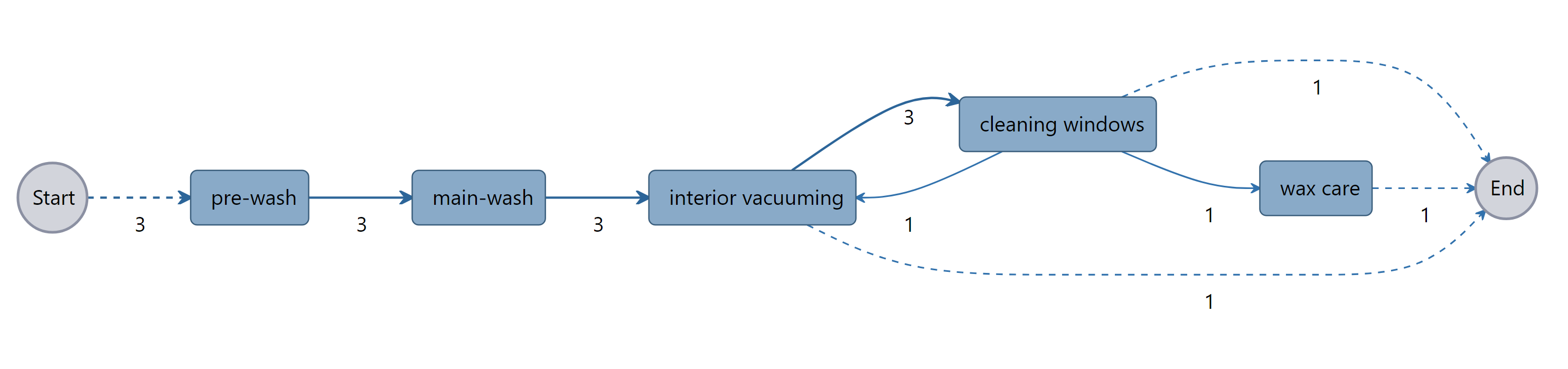
As we can see we have three business cases or customers as we see three case ids 1, 2 & 3. Each business case has specific activities assigned to it:
- Case 1 starts with a pre-wash followed by the main-wash and the interior vacuuming ending with cleaning windows.
- Case 2 starts with a pre-wash followed by the main-wash, the interior vacuuming and cleaning windows ending with wax care.
- Case 3 starts with a pre-wash followed by the main-wash, the interior vacuuming and cleaning windows ending with interior vacuuming again, because the customer wasn't satisfied with the result and a rework was needed.
In order to create a time depending relationship and create a process flow a execution time for each process step is needed. This information is stored in the timestamp column.
If you have this kind of information stored as a csv-file you can start with our Event Log Transformer, if your event log is stored in a Microsoft SQL Server the process.science SSIS Package will be used to transform the data.
Additional Information
You can extend the event log with additional information, such as price, department, region, etc. to perform an even deeper analysis. This information is grouped into case attributes and event attributes.
Case attributes
Case attributes describe information for the whole case, in the example above this could be the make of the car or the version of the cleaning package the customer booked.
Event attributes
Event attributes describe exactly one activity, in the example above this could be the building in which the activity took place.
Data Requirements Overview